Desktop software
Windows, macOS and Linux applications for workflows that do not belong in a browser.
Written response within one week. No preliminary sales call.
Typical engagement
- Typical duration
- 4–9 months
- Team
- 2–4 people
- Starts with
- Discovery sprint
- Entry billing
- Fixed fee, 2–3 weeks
Indicative, not a quotation.
Engagement termsOverview.
Long sessions, large files, direct filesystem and hardware access. The category is widely underserved, which is why the tools still running in these workflows are often fifteen years old.
Much of this work replaces an existing application rather than starting from nothing, and the binding constraint is usually that its users cannot be retrained. Established working patterns are treated as a requirement, not as a legacy inconvenience.
What the work covers.
The capabilities desktop software engagements draw on. Scope is agreed per engagement, against the requirement.
Compose Multiplatform desktop apps
Desktop applications on the JVM, built from the same Kotlin codebase as the mobile apps where one exists.
Native installers
DMG packages for macOS, MSI installers for Windows and Linux packages, produced by the build pipeline.
Signing and certificates
Apple distribution and installer certificates managed with Fastlane Match, with scheduled renewal checks.
Background work on the desktop
Scheduling daemons for Windows, macOS and Linux behind the same API as mobile background work.
Desktop billing
Subscriptions and purchases on desktop through the same billing library as mobile and web.
Developer tools and IDE plugins
IntelliJ IDEA and Android Studio plugins built on the IntelliJ Platform.
Replacing legacy tools
Running old and new applications in parallel until the replacement is proven on production data.
What you receive.
What changes hands during the engagement, and remains yours after it.
Handed over
- Signed installers for each target operating system
- Signing and notarisation, set up in your accounts
- A migration plan covering data and workflow
- Support documentation written for your users
From the discovery sprint
2–3 weeks · Fixed fee
- A written scope stating what is in and what is explicitly out
- An estimate expressed as a range, with the assumptions behind it
- A written risk register
- A build plan in two-week increments
Technologies in use.
Evidenced in our own products and tooling for this service. Where your team already runs a stack, the work proceeds within it.
- Language and interface
- Kotlin
- Compose Multiplatform
- Packaging and signing
- Gradle native distributions
- Fastlane Match
- Developer tools
- IntelliJ Platform SDK
How it is delivered.
The sequence an engagement follows, from the first assessment onward.
Step 1: Discovery
Confirm the workflow needs the operating system; where it does not, we recommend a web platform.
Step 2: Shared-core architecture
Reuse domain code from existing mobile or web apps where it exists.
Step 3: Build in increments
Installers produced by CI from the first increment.
Step 4: Signing and distribution
Certificates, notarisation and distribution set up in your accounts.
Step 5: Parallel run and migration
Run alongside the legacy tool until the replacement is proven, then hold and improve.
Evidence in our own work.
Products we engineered and operate under our own name, and tooling we publish. Client engagements ship under our clients’ names and are not listed.
- Live
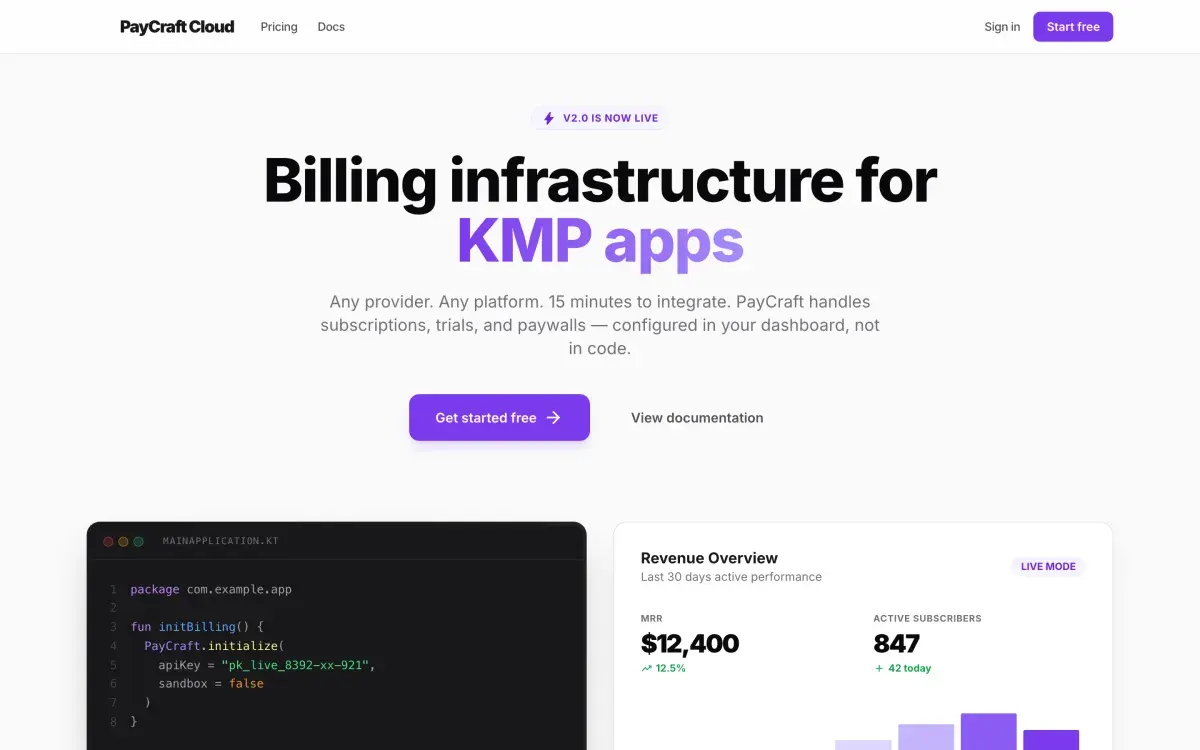
PayCraft
Developer infrastructure
Billing with one API across Android, iOS, web and desktop.
- Android
- iOS
- Web
- Desktop
Tooling we publish.
KMP Product Flavors IDE plugin repository (opens in a new tab)
An IntelliJ IDEA and Android Studio plugin for switching build variants. Pending JetBrains Marketplace approval.
Pending JetBrains Marketplace approvalworker-kmp repository (opens in a new tab)
Background scheduling that includes daemons for Windows, macOS and Linux.
Published on Maven Central
Where this is not the right fit.
Where a workflow fits in a browser, we recommend a web platform instead. Desktop distribution carries a real cost — signing, packaging and update infrastructure — and is justified only when it delivers something a browser cannot.
Questions on desktop software.
Commercial, ownership and engagement questions are answered on the FAQ page.
All questionsNative toolkit or web wrapper?
Chosen per project and documented. The desktop work MBS ships uses Compose Multiplatform, which shares code with Android and iOS; where another toolkit suits the requirement better, the reasoning is set out in writing.
Can the desktop app share code with our mobile app?
Yes, with Compose Multiplatform. MBS builds desktop targets from the same codebase as its mobile apps.
Which operating systems?
macOS, Windows and Linux, with installers for each produced from one build pipeline.
Who owns the signing certificates?
You do. They are managed in your developer accounts.
Can you replace a legacy tool without downtime?
Usually by running both in parallel for a defined period, with the existing tool authoritative until the replacement has been proven on production data.
Do you build IDE or developer-tool plugins?
Yes. MBS builds an IntelliJ IDEA and Android Studio plugin for its own Gradle tooling.
Other core services.
Mobile apps
Android and iOS apps, native or on a shared codebase where the product and the team justify one.
Games
Casual and children’s games, from playable prototype through store submission and live operations.
Web platforms
Dashboards, product sites and the data layers behind them, built to perform on a mid-range phone.
Applied AI
On-device speech and language models, and the evaluation work that decides whether a feature ships.
Design & planning
Product definition, scope and interface design, delivered as a fixed-fee engagement.
Something else?
Describe the requirement. Any other application or product is scoped against it.
Request a proposal.
Submit the requirement for desktop software work and receive a written assessment, including an indicative estimate and the risks identified at this stage.
Or write to hello@mobilebytesensei.com